If none of the other articles help you, try the following steps:
This will completely reset the Kast app, as if it were installed for the first time.
Mac:
- Quit the app
- Open terminal and type
rm -rf ~/Library/Application\ Support/KAST - Press the "Enter" key on your keyboard
- Launch the app
PC:
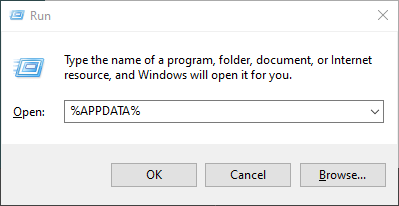
- Press and hold the Windows key (the one that looks like four squares) and then press R while holding the Windows key.
- In the box that pops up, type %APPDATA% and press OK.
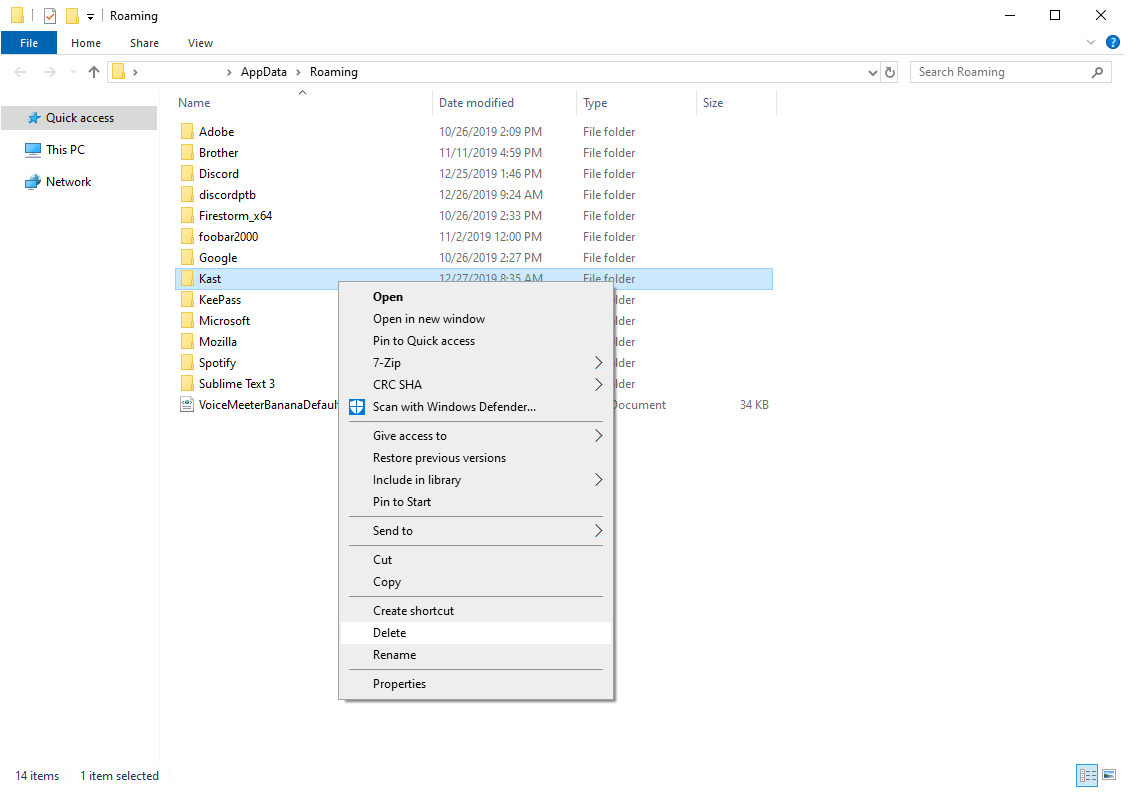
- Look for the folder labeled Kast, right click on it, and then click on delete.
Reporting the bug at bit.ly/kasthelp helps to make it sure that the issue will not be happening in the future.
Help!
If you still can't get Kast to work properly, are experiencing issues and don't know what to do, you can always contact our support team. We love to hear your questions and feedback!